


 My Training Account
Need Help?
Certificate validation
Our certificates are designed with security and credibility in mind. Each certificate includes a unique QR code that allows for instant verification of authenticity. When scanned, the QR code links directly to a secure online record, confirming the certificate’s validity and displaying key details such as the certificate holder’s name, course title, and date of completion.
This digital verification system helps employers, institutions, and other stakeholders quickly confirm the legitimacy of the certificate, reducing the risk of fraud and enhancing trust in the qualifications we issue.
Need Help?
How to verify an IATA-CBTA Center Certificate
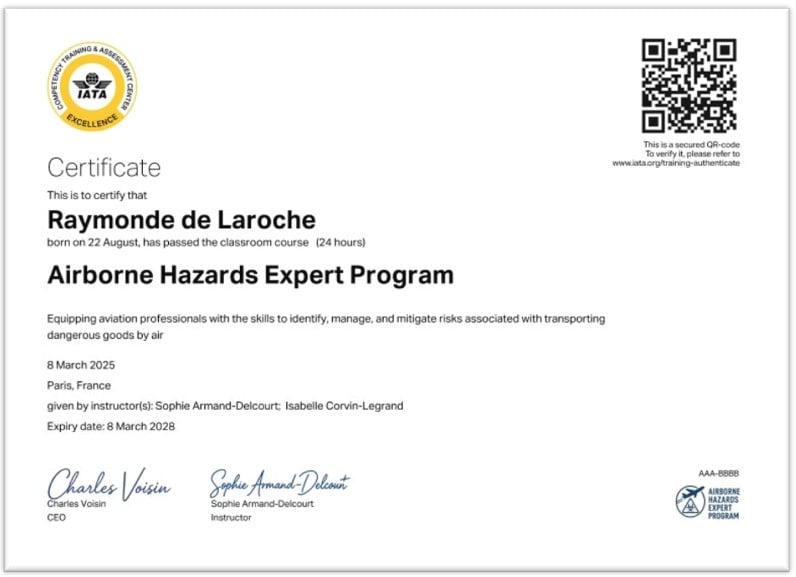
The QR code is located at the top right of the certificate.
Click the red button below to validate your certificate by scanning the QR code or uploading your original PDF certificate*. Please note that IATA uses the CERTUS validation tool.
- If you are using a smartphone, we suggest that you use 'Scan QR code' for optimum results. Ensure your camera lens is clean and fully captures the QR code (hold closer to the lens if necessary). Alternatively, use the CERTUS app.
- If using a laptop/PC we suggest that you use 'Upload document' for optimum results.
*Please use the original PDF file of your certificate (not a copy) for the validator to recognize your certificate. Please note that your certificate file must not be altered in any way, otherwise, the QR code will return an ‘unverified’ result when using the validation tool. If you need to rename the file, right-click the document in your browser and rename the file. Please do not use the ‘save as function’ in Adobe Acrobat or Adobe Reader, as this will corrupt the file.